Guru VPN: Fast Secure Proxy
TapGenerationProductivity
4.3128.00 Reviews
- Version
- 2.1.5
- Installs
- 1.00M
- Age Rating
- Everyone
Screenshots
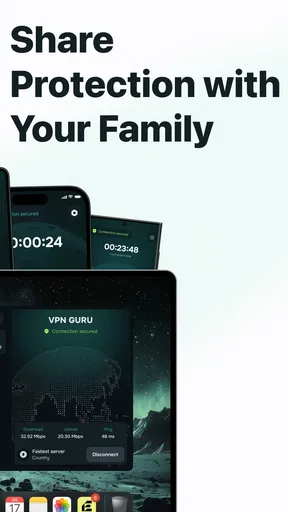
Our Review of Guru VPN: Fast Secure Proxy
 Analysis by Appyee
Before I choose any VPN, I try to be clear about the job I need it to do. A quick privacy layer on public Wi-Fi is a different need from dependable access for work calls, or from routinely changing regions to watch a particular service. That distinction matters with Guru VPN: Secure VPN Access: it is a simple starting point for everyday use, but I would not treat a VPN connection as a complete security plan or assume it will suit every demanding workflow.
For a sustainable routine, I think of a VPN as one step in a larger set of habits: connect before opening sensitive accounts on an unfamiliar network, check that the connection is still active when the task matters, and disconnect when I no longer need it. That approach is more useful than leaving an app running by default and assuming it solves every privacy concern. A VPN can protect traffic between a device and its VPN endpoint, but it does not make suspicious links safe or replace careful account and device security.
Decide what you need before connecting
Guru VPN is a free productivity app from TapGeneration, with optional in-app purchases priced from $4.99 to $34.99 per item. The app is rated for Everyone, has a 4.8 average from around one thousand ratings, and has been installed over one hundred thousand times. It was released on June 30, 2025; version 1.0.115 supports Android 8.0 and newer. Those details make it easy to see that it has attracted real use, but they do not tell me whether it will be the right fit for a particular network, streaming service, or privacy requirement.
My practical first step would be to try the free experience on an ordinary connection, then decide whether its available server choices and reliability meet my actual needs. If I only want occasional protection while checking email in a café, a lightweight app may be enough. If I need a VPN for frequent travel, lengthy work sessions, or strict organizational requirements, I would first compare the service’s specific capabilities and terms with those needs rather than assuming that a convenient interface is sufficient.
Getting Started with Guru VPN
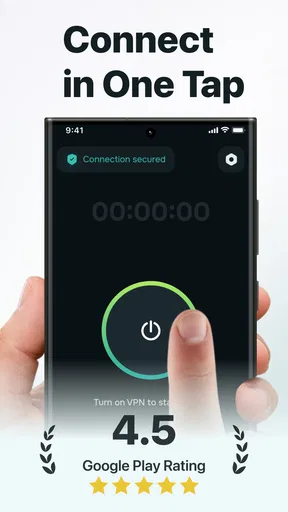
First things first, setting up Guru VPN was a breeze. I snagged it from the app store, and within minutes, I was up and running. The user interface is super intuitive, which is always a plus in my book. No need to fumble through endless menus; everything you need is right there, front and center.
One thing I appreciated was the quick tutorial on how to use the app. It’s like they knew I might be in a hurry and didn’t want to waste any time figuring things out. Just a couple of taps, and I was connected to a server.
Make connection checks part of the routine
The quick setup is most helpful when it leads to a repeatable habit rather than a one-time test. For example, if I arrive at a library and need to send a document, I can connect before signing in, complete the task, and then check the app again before relying on it for anything time-sensitive. If the connection drops, I should pause the sensitive activity and reconnect instead of assuming the VPN silently recovered.
This small check is especially useful when switching between Wi-Fi and mobile data. A change in network can interrupt a VPN session, so I would make a habit of confirming the app’s connection status after moving between networks, reopening the app, or returning from a long period with the phone locked. That is a more dependable workflow than connecting once in the morning and forgetting about it all day.
Features that Stand Out
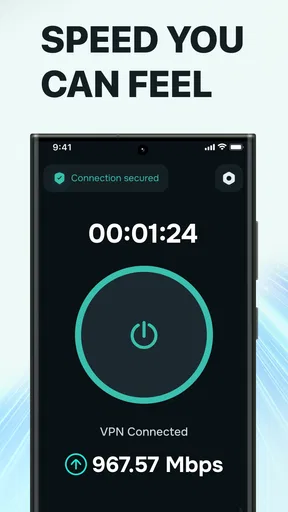
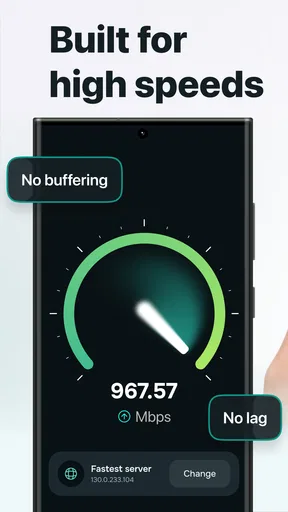
Now, let’s talk features. Speed and security are the names of the game with Guru VPN. I was pleasantly surprised by how fast the connections were. Streaming my favorite shows didn’t result in any buffering, and I could browse without those pesky lags.
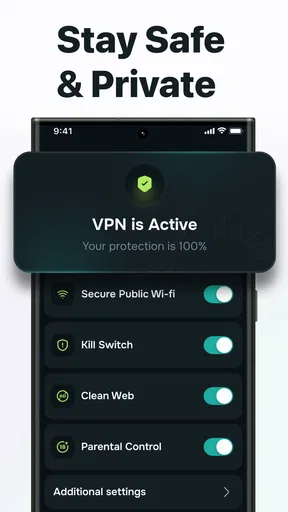
Security-wise, it’s got all the bells and whistles. We’re talking military-grade encryption, which makes me feel like my data is locked up tighter than Fort Knox. Plus, they have a no-logs policy, so my online antics stay my business.
What a VPN does—and what I still check
I would keep those security claims in perspective. A VPN is useful for routing a connection through a VPN server, but encryption does not prevent phishing, malware, weak passwords, or data exposure caused by an account’s own settings. I still use unique passwords, keep software current, and avoid entering credentials on pages I cannot trust. The VPN is one layer in that routine, not a substitute for the rest.
Privacy-conscious users should also read the app’s current privacy information and purchase terms before depending on it for sensitive work. A no-logs claim is relevant, but it is only one part of judging a service; I would want to understand what information the app handles and what its policy actually covers. For a casual user, that check can be quick. For work involving confidential client or company data, I would follow the organization’s approved tools and rules instead.
Server Locations and Performance
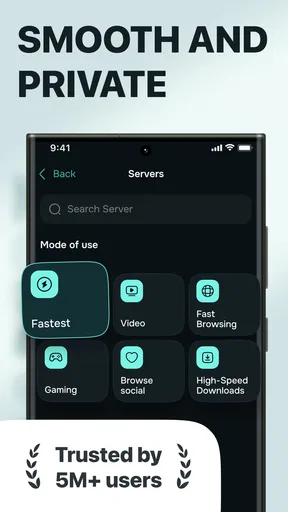
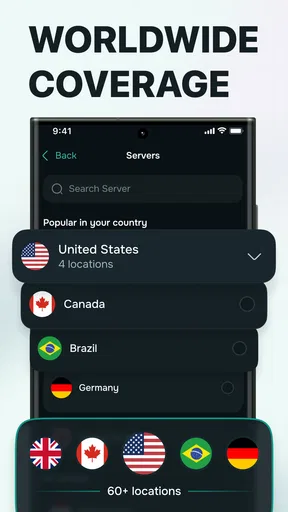
If you’re like me, hopping between different server locations can be crucial, especially when trying to catch up on region-specific content. Guru VPN offers a decent variety of server locations. From the U.S. to Europe and beyond, it’s easy to find a spot that suits your needs.
Performance-wise, I didn’t notice any major hiccups. Even when connecting to servers on the other side of the globe, the speed remained quite stable. It’s a relief knowing I can stay connected without sacrificing performance.
Choose a location with a reason
A useful habit is to choose the nearest suitable location for ordinary browsing, then switch only when a specific task calls for another region. A distant server can add delay even when a connection feels fine at first, which matters more for a live call or interactive task than for reading a page. If a video starts buffering or a work call becomes choppy, I would test a nearer location before concluding that the phone or network itself is at fault.
Region switching is not a guarantee that a streaming service will work. Services can change how they handle VPN traffic, and access may vary. I would treat location choice as something to test for a particular task, not as a promise of permanent access. For routine privacy on public Wi-Fi, choosing a stable nearby connection is often more practical than repeatedly chasing a faraway server.
A realistic day-to-day use
Imagine I am travelling and need to review a shared document while waiting at a station. I connect before opening the account, check that the VPN remains active, and finish the work without switching locations unnecessarily. If I later move to another Wi-Fi network, I confirm the connection again before continuing. This is a modest workflow, but it gives the app a clear role: reducing exposure on an unfamiliar network while keeping the task simple.
For streaming at home, my priorities would be different. I would test whether the chosen location works with the service and whether playback remains smooth, then switch back if the added routing causes delays. For a meeting, I would avoid experimenting with distant servers just before joining; a stable connection is more valuable than a location change that is not essential. These small choices help keep a VPN from becoming another source of friction.
How it compares with other ways to connect
Compared with browsing without a VPN, Guru VPN adds a layer of routing that can be useful on networks I do not control. Compared with a built-in work VPN, it is aimed at a different decision: an employer-managed service may be necessary for access to company systems and policy compliance, while a consumer VPN should not be assumed to provide that access. I would use the tool specified by work for work resources, even if I also keep a personal VPN for general browsing.
It also differs from changing a browser’s privacy settings or using private browsing. Those options can affect local browsing history or how a browser handles certain data, but they do not route all device traffic through a VPN server. Conversely, a VPN does not erase the traces a signed-in website keeps in an account. I find it helpful to choose the tool based on the actual concern instead of treating “private mode,” a VPN, and account privacy controls as interchangeable.
What’s the Catch?
Alright, so no app is perfect, and there are a few things to keep in mind. While Guru VPN offers a free tier, it does come with some limitations. You might find that some servers are only available for premium users, which is something to consider if you’re planning to use it extensively.
Also, while the app is generally stable, I did encounter a couple of brief disconnects. Nothing major, but if you’re in the middle of something important, it could be a tad annoying.
Know when another option is better
Those disconnects are a reason to avoid relying on the app as the only safeguard for an urgent task. If I am sending something time-critical, I would keep the work ready to resume and verify the connection before continuing. A VPN can also affect speed or access, so anyone who needs consistently low latency for gaming, real-time collaboration, or a fragile video call should test it under those exact conditions rather than judging it from casual browsing.
The free tier may be a sensible way to see whether the basic experience fits, but the presence of paid items means I would check what a purchase unlocks before spending. I would not upgrade simply because I use a VPN often; I would do so only if the available free options are limiting a real use case and the paid terms suit my budget. Someone who needs detailed controls, organization-wide management, or documented guarantees should compare specialist alternatives instead of choosing on ease of setup alone.
For occasional browsing and everyday public-network use, the balance may be different. A simple connection flow can be more valuable than a large collection of settings if I do not need to tune anything. But a person who wants fine-grained configuration or must meet formal security requirements should verify those needs against the app itself before moving important work onto it.
The Verdict
So, is Guru VPN worth a download? I’d say absolutely. It’s user-friendly, secure, and performs well across the board. Whether you’re looking to keep your data safe or just want to stream content from different regions, it’s got you covered.
In a nutshell, if you’re on the hunt for a reliable VPN that doesn’t require a tech degree to use, give Guru VPN: Secure VPN Access a go. It just might become your new favorite digital sidekick.
Who I would recommend it to
I would suggest trying it if you want a straightforward VPN for occasional use, prefer a quick path from opening an app to making a connection, and are willing to check the connection when your network changes. It can suit someone who wants an uncomplicated option for browsing while travelling or handling ordinary tasks on public Wi-Fi. The free entry point also makes it easier to evaluate the experience before deciding whether any paid option is worthwhile.
I would be more cautious if you need a VPN to meet workplace rules, protect highly sensitive information under a formal policy, or provide uninterrupted access for a critical session. I would also look elsewhere if you expect every streaming service to work through every region, or if you need configuration controls that the simple experience does not provide. My recommendation is positive, but conditional: use it for the tasks it handles comfortably, and keep a backup plan for anything where a brief interruption would cause trouble.
A sensible way to try it
When setting it up, I would start with a low-stakes task on my usual network, learn where the connection status and server choice are, and then try it on the kind of network where I actually expect to use it. I would note whether a nearby location is stable, whether my usual apps behave normally, and whether reconnecting after a network change is straightforward. That gives me a more useful answer than relying on a single fast connection or assuming that a successful first session proves long-term reliability.
Overall, Guru VPN works best as a convenient part of a broader digital routine, not as a magic shield. Its approachable setup and free starting point make it easy to test, while server restrictions, occasional disconnections, and the need to verify privacy expectations are real considerations. If those trade-offs match your needs, it is a reasonable app to try; if they do not, a work-approved or more configurable alternative is the better choice.
Verdict
Strengths of Guru VPN: Fast Secure Proxy
- User-friendly interface, easy navigation.
- Fast connection speeds for browsing.
- No-log policy ensures privacy.
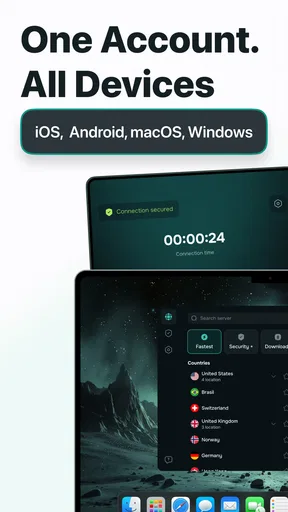
- Works on multiple devices simultaneously.
- Wide range of server locations.
Limitations of Guru VPN: Fast Secure Proxy
- Frequent ads in the free version.
- Limited features without subscription.
- Occasional connection drops.
- High battery usage in background.
- Some servers can be slow.
Similar Picks in This Category
View All
Google Calendar
Google LLC4.6

Google Drive
Google LLC4.3

Google Assistant
Google LLC3.9

Microsoft OneDrive
Microsoft Corporation4.6

Samsung Calendar
Samsung Electronics Co., Ltd.4.1

Microsoft OneNote: Save Notes
Microsoft Corporation4.6
Frequently Asked Questions
Is Guru VPN free to use?
Guru VPN offers a free version with basic features, allowing you to connect to various servers worldwide. However, there are limitations on data usage and access to specific servers. For enhanced features, such as faster speeds and additional server locations, a premium subscription is available.
What platforms is Guru VPN available on?
Guru VPN is available for both Android and iOS devices, ensuring a wide range of compatibility. This allows users to secure their internet connection and maintain privacy across different devices, whether on a smartphone or tablet. The app is downloadable from both the Google Play Store and Apple App Store.
How secure is my data with Guru VPN?
Guru VPN employs high-end encryption protocols to protect your data while browsing the internet. With AES-256 encryption, it ensures that your online activities remain private and secure from potential threats. The app also maintains a strict no-logs policy, meaning your browsing history is not stored or tracked.
Will using Guru VPN affect my internet speed?
Using a VPN can sometimes impact internet speed due to encryption and server distance. However, Guru VPN is optimized to provide minimal speed reduction. While free users may experience slight slowdowns, premium users can enjoy faster connection speeds due to access to high-speed servers.
Can I use Guru VPN for streaming services?
Yes, Guru VPN is designed to bypass geo-restrictions, allowing you to access streaming services from different regions. However, availability can vary based on the server and service policies. Premium users often have better success with streaming due to faster and more reliable server connections.
